Deutsch · English · Nederlands
‹ Wohnmobil-Akte – product page
‹ All topicsInvoices
All receipts relating to the vehicle, with the original, amount and assignment to an appliance or fault.
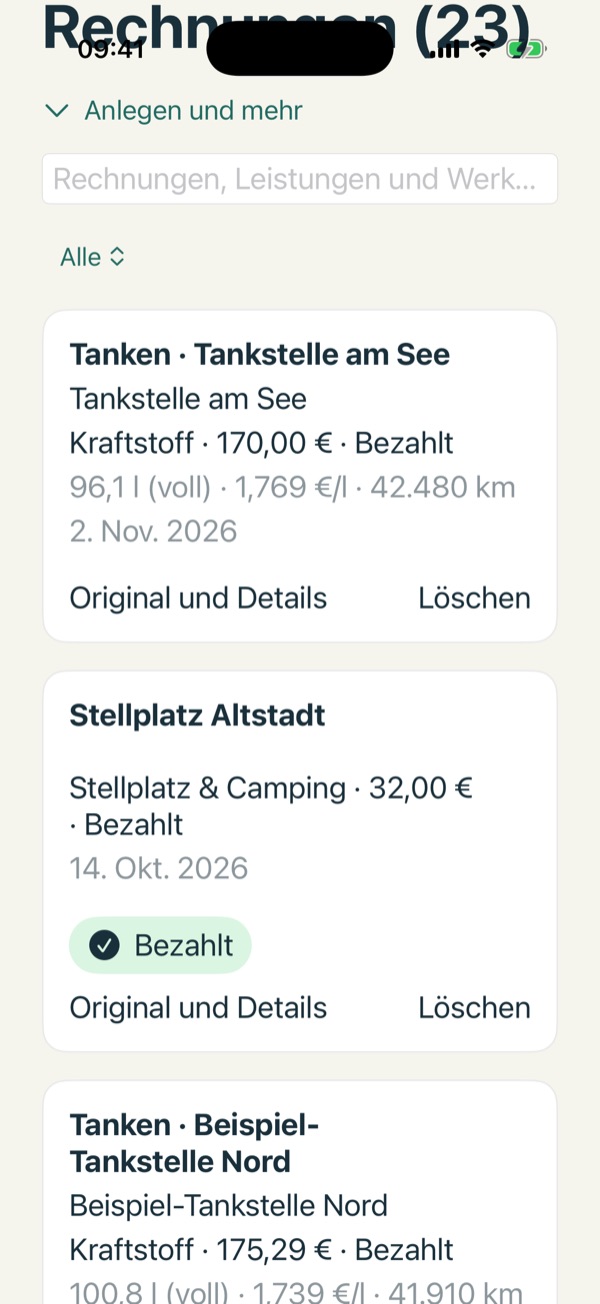
Adding an invoice
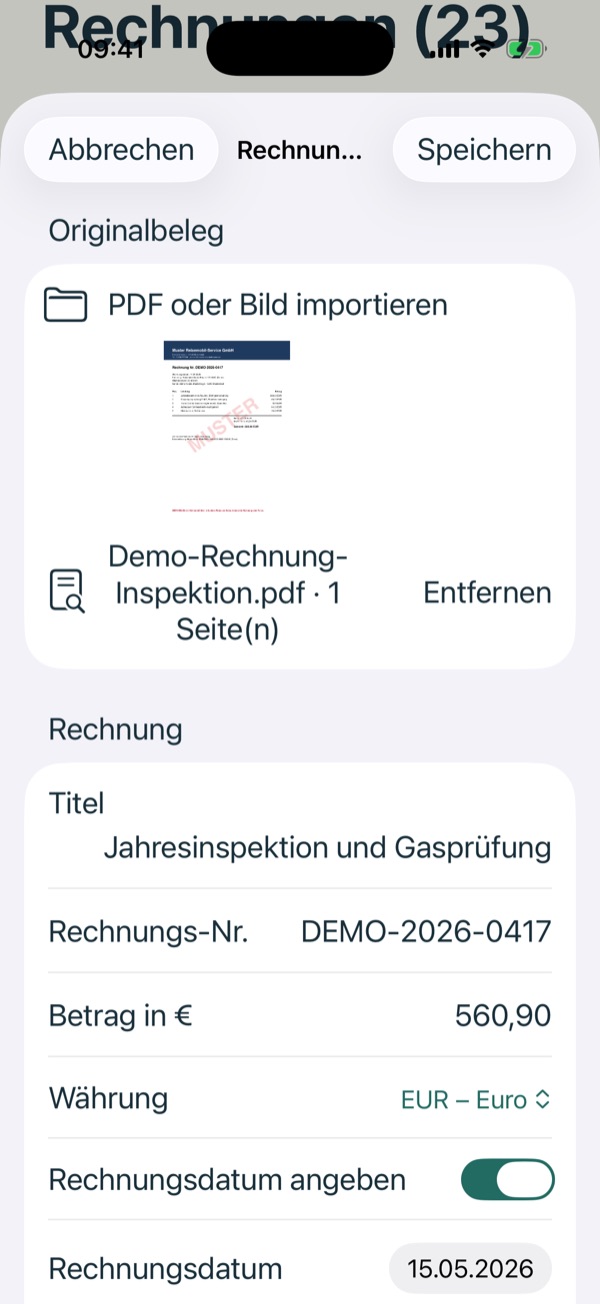
- Below the heading, tap Add and more, then Add invoice, and scan the receipt or import it as a PDF or photo.
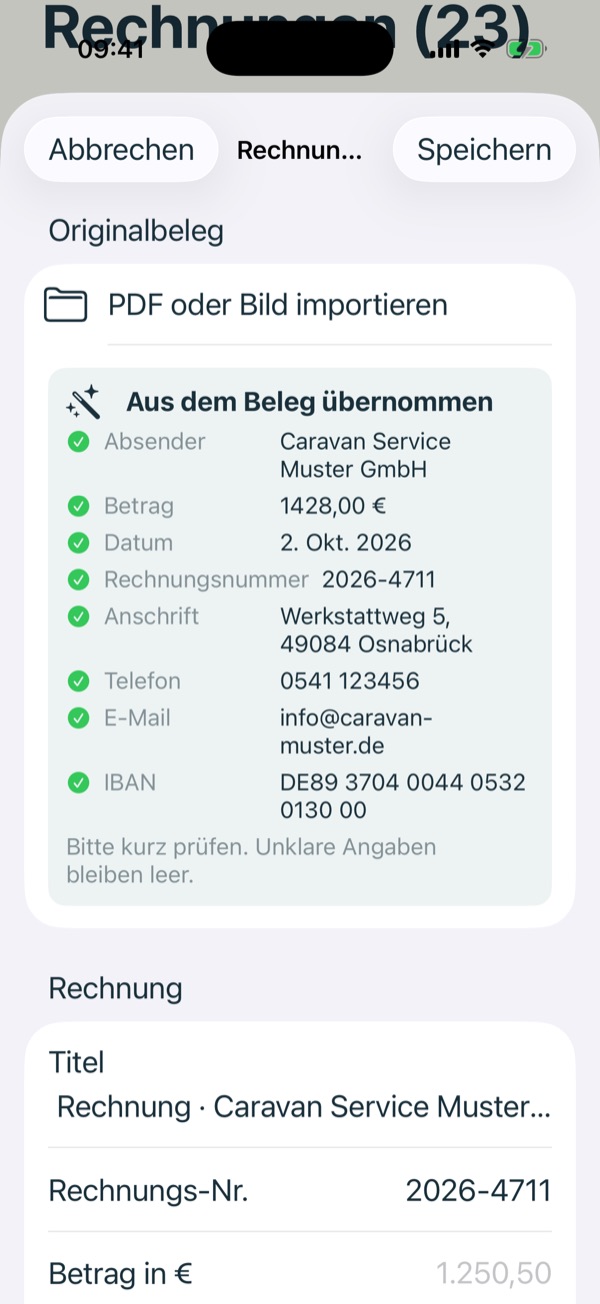
- The app reads the receipt and takes over what it recognises with certainty: sender, postal address, amount, date, invoice number, phone, email, website and the sender’s Bank details. A box shows what was taken over. Please check briefly; anything unclear is left empty.
- Choose a Category, for example Repair, Maintenance, Spare parts, Tolls & vignettes or Pitch. With ‘Other’ you can enter your own category. Set Already paid if that is the case.
- If you know it, enter the Mileage. From this the app calculates the kilometres driven.
- Under Assignment, choose an appliance or a fault entry.
- Save.
Paying and ticking off
In the list, every invoice has an Open or Paid button. One tap switches it without opening the invoice.
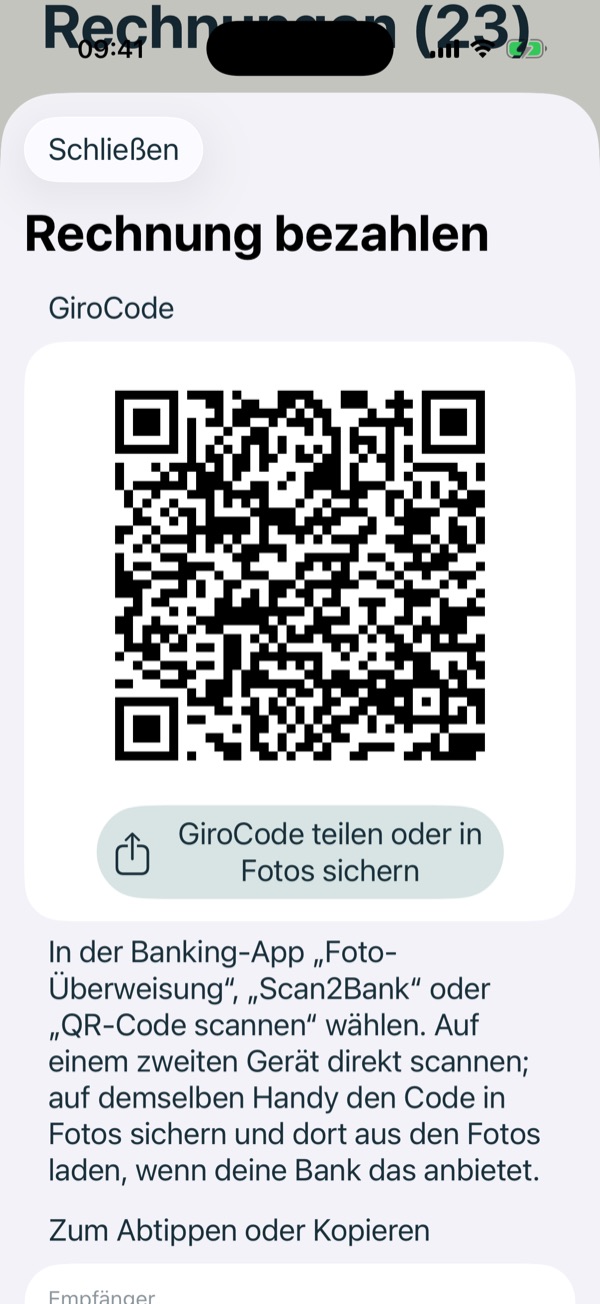
If the invoice is open and contains a valid IBAN, Pay also appears. There you will find:
- the Payment QR code (EPC) (a QR code for bank transfers, known in Germany as GiroCode). Many banking apps read it with a function such as ‘Foto-Überweisung’ (photo transfer), ‘Scan2Bank’ or ‘QR-Code scannen’ (scan QR code). Recipient, IBAN, amount and payment reference are then already filled in.
- On a second device (iPad, Mac, your partner’s phone) you scan it directly from the screen. On the same phone you save it with Share QR code or save to Photos and load it from Photos in your banking app, if your bank offers this.
- all details individually to Copy.
- Transferred – mark as paid sets the tick.
Frequently asked questions
My banking app does not read the payment QR code from Photos.
Not every bank offers this. In that case, scan the code with a second device or take over the IBAN and amount with ‘Copy’.
How well does recognition work?
Best with PDF invoices containing real text. With photos and scans it depends on the image quality. The app works only on your device; nothing is uploaded. If the receipt states that the amount will be debited from your account, it does not take over that IBAN. German and Dutch invoices are recognised, other languages only partially.
Where can I see what everything cost?
Under Expenses: total per year, breakdown by category, consumption and what is still outstanding.
Can I still view the original later?
Yes, via Original and details on every invoice.
Is my insurance invoice counted twice?
A contract with a premium under Insurance & contracts already counts in your expenses. If you also file the premium invoice here, link it to the Contract under Assignment in the invoice. It is then not counted again. Without the link, the app points it out (“Probably counted twice”).
What is “In address book” for?
It links the invoice to the workshop or dealer in your addresses. The details on the invoice stay as they are on the receipt; empty fields are filled from the address book. If the issuer is already in your address book, the app suggests the link.
Wohnmobil-Akte manual · As of 11 Nov 2026 · Images with demo data · Screenshots show the German version of the app.