Deutsch · English · Nederlands
‹ Wohnmobil-Akte – product page
‹ All topicsAddresses & workshops
Dealers, service partners, workshops, restaurants and recommendations, with map and navigation. Pitches have their own section: Overnight stays & pitches.
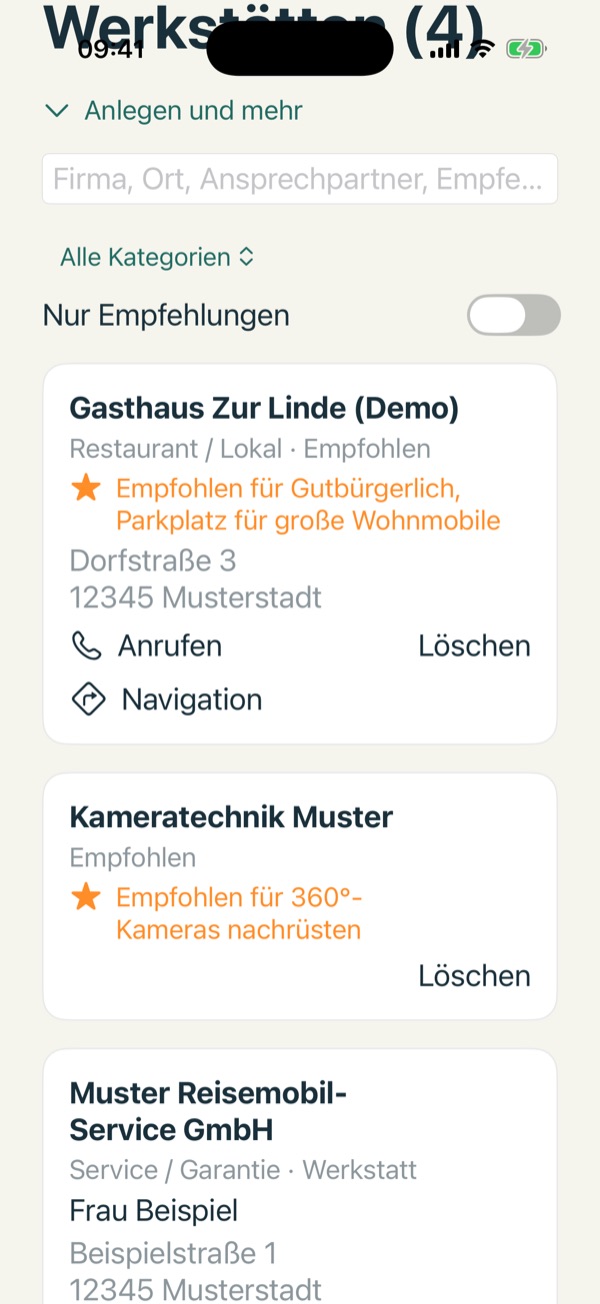
Adding contacts
- Below the heading, tap Add and more, then Take from manufacturer directory: search for dealers and service partners of Morelo, Carthago, Concorde or Niesmann+Bischoff and take them over.
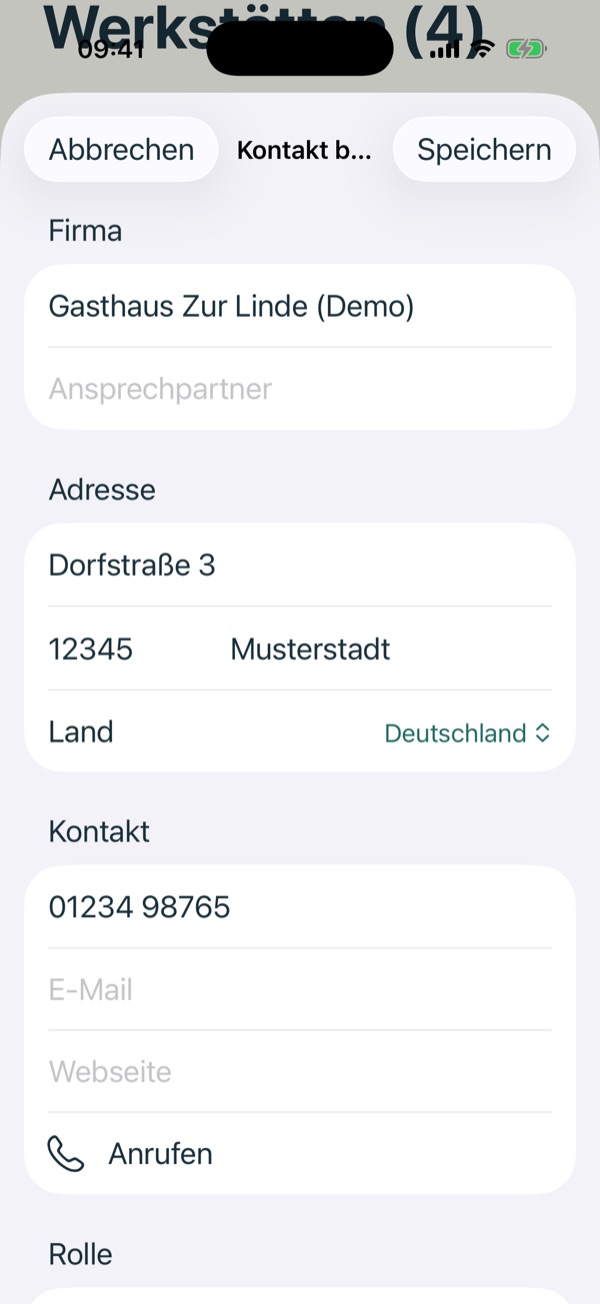
- Or tap Add contact. You enter the address in separate fields: Street and house number, Postcode, Place and Country. That way all addresses look the same and the map finds them reliably.
- Choose a Role: Dealer, Service, Workshop, Recommended, Restaurant / pub and others.
- For Recommended, enter under Recommended for what it is recommended for, for example ‘360° cameras’ or ‘car wash for motorhomes’.
- At the top, set your Seller and Service partner. The service partner is the recipient of your defect report.
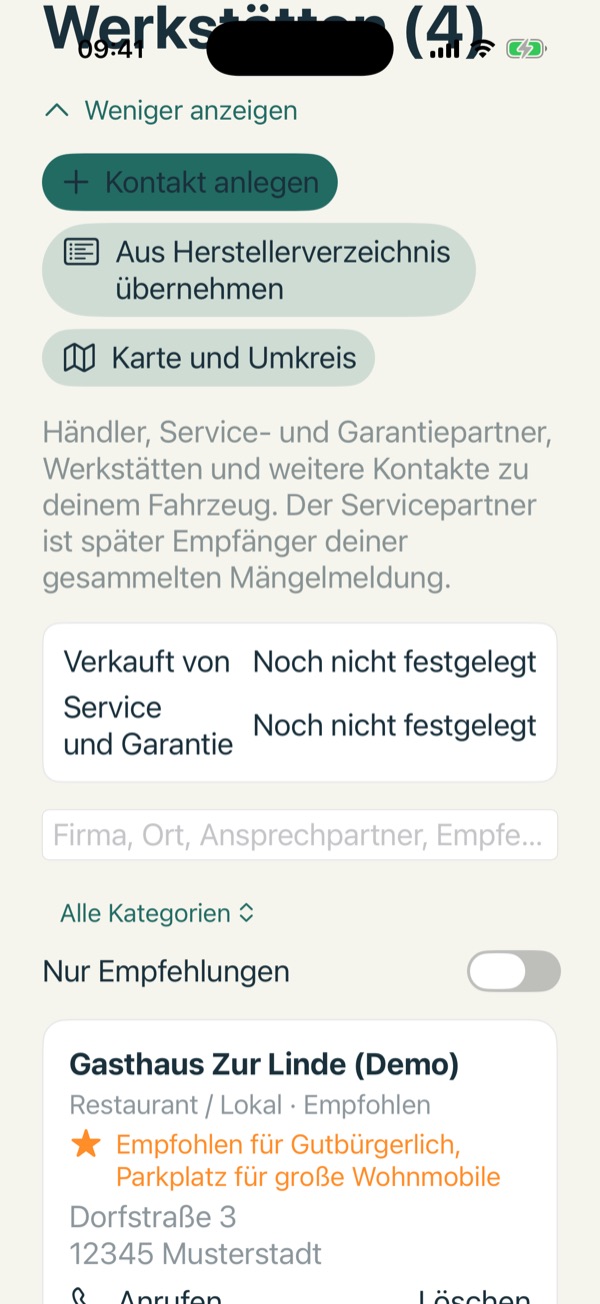
Filtering by category
Above the list you choose a Category, for example only workshops or only restaurants. Only categories that occur in your file are offered, with their count. Combined with Recommendations only, you can see just your recommended restaurants, for instance.
Map and radius
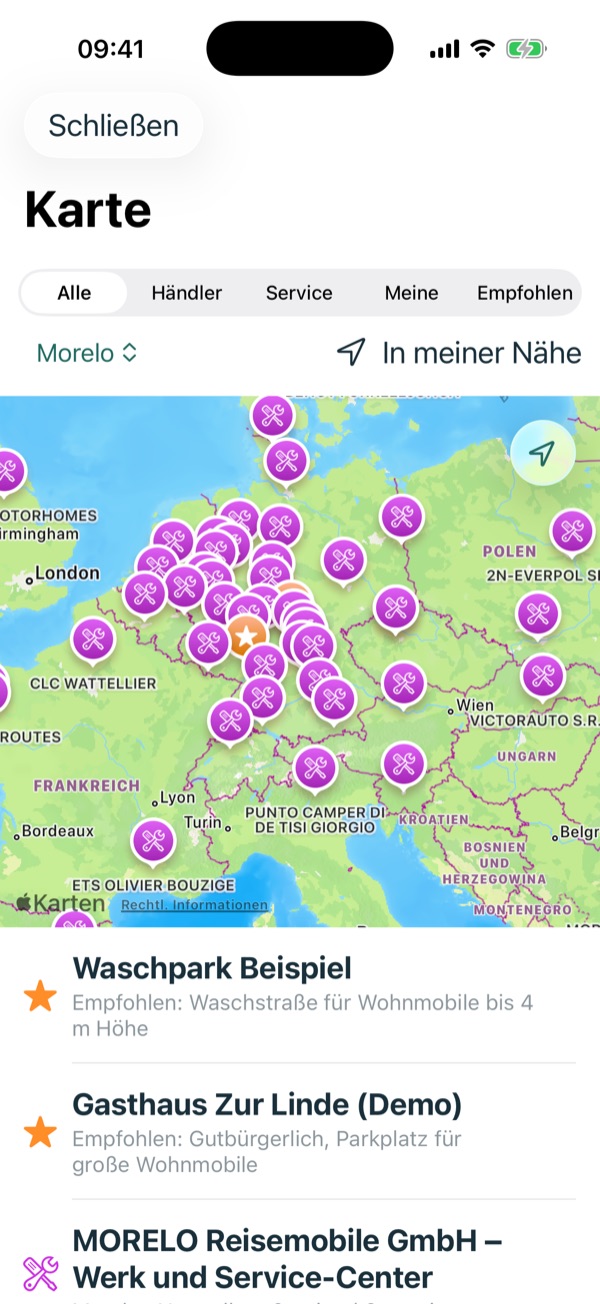
Map and radius shows your own contacts, recommendations and the manufacturers’ partners. At the top you filter by All, Dealer, Service, Mine and Recommended.
Near me asks for your location and sorts the list by distance.
For each entry, Apple Maps or Google Maps starts the route directly. Under Other app you will find Waze, TomTom GO and Copy address.
Navigation
In the list, every entry with an address has a Navigation button. There you choose Apple Maps, Google Maps, Waze or TomTom GO. For all other apps, such as Navigon or the vehicle’s built-in satnav, there is Copy address: then paste it into the search field of the other app.
Frequently asked questions
Where are my pitches?
In their own section, Overnight stays & pitches, which also has the Campercontact code, sharing and search in Campercontact, park4night, Stellplatz-Radar and Landvergnügen. They no longer appear under Addresses.
What happens to addresses I used to write on a single line?
When opening, the app automatically splits them into street, postcode, place and country if this can be done unambiguously, for example with ‘Seeweg 12, 12345 Musterstadt’. If that does not work, the previous address is shown below the fields and you split it up by hand once.
How up to date is the manufacturer directory?
It comes from the manufacturers’ public dealer pages, as of October 2026, without guarantee. Before a long journey there, it is best to give them a quick call.
Can anyone see my recommendations?
Not yet. Recommendations stay in your file. A shared counter ‘recommended by N owners’ is planned.
Wohnmobil-Akte manual · As of 16 Oct 2026 · Images with demo data · Screenshots show the German version of the app.