Deutsch · English · Nederlands
‹ Wohnmobil-Akte – product page
‹ All topicsBefore departure
A checklist with large switches so that nothing is forgotten before you set off.
Before the journey
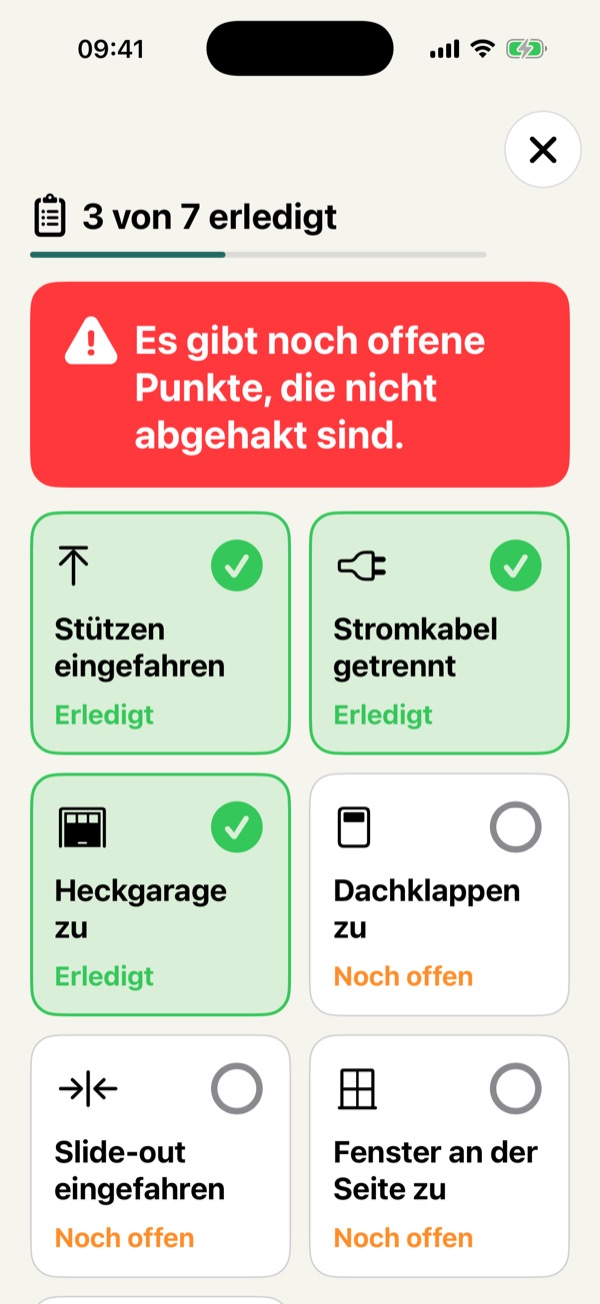
Large switches for levelling jacks, power cable, rear garage, roof vents, slide-out, side windows, and drawers and cupboards. Tapping toggles between Done and Still open. Once everything is done, ‘All done – drive safely!’ appears.
Set off switches to the on-the-road display and starts the driving time.
If an item is still open, a large red notice appears at the top: “Some items are still not ticked off.” If you tap Set off anyway, a red card asks Really set off? and lists the open items. Yes, set off anyway starts the drive, Back to the list does not.
At the bottom: Edit list (hide items, up to four items of your own, your own symbol for each item, daily limit, kilometres via GPS), Earlier drives and Reset ticks for the next departure.
While driving
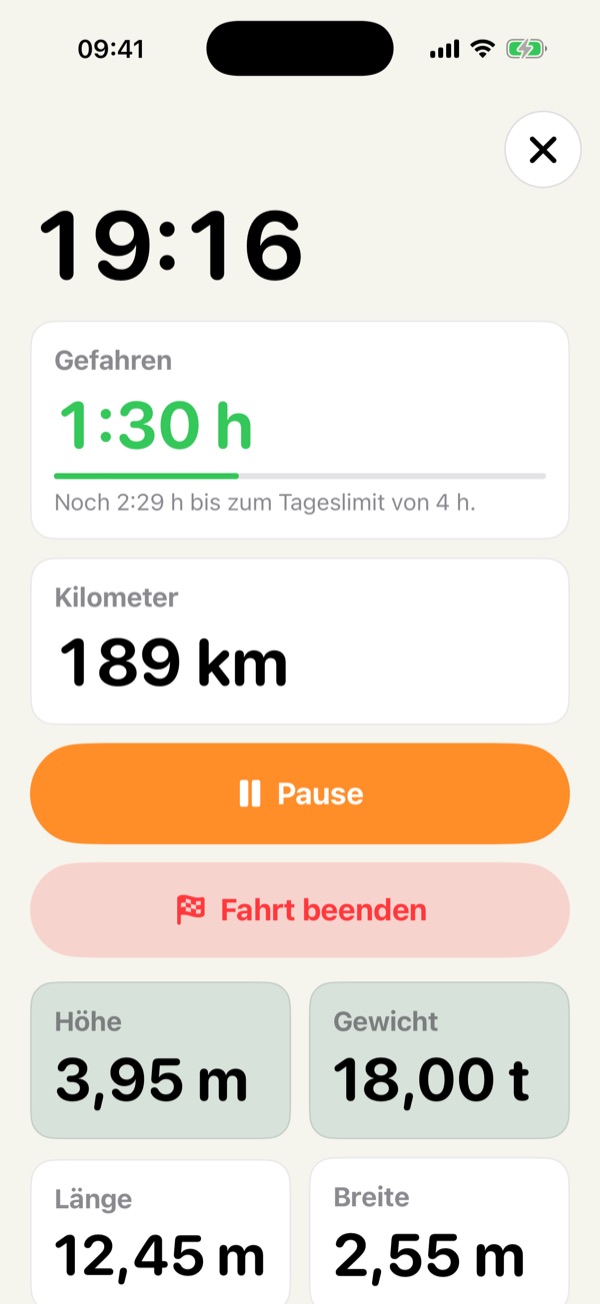
Time in large type at the top.
Driven: today’s driving time, with a bar towards the daily limit (default 4 hours): green, orange from 80 %, red once the limit is reached. Pause stops the time, Continue driving lets it run on. The next day it starts at zero.
Kilometres: via GPS, only while the journey is running and the display is open. An approximate figure.
Height, weight, length, width from the registration certificate (fields 20, F.2, 18, 19). Weight is the permitted gross vehicle weight.
Frequently asked questions
Can I change the symbols of the items?
Yes. In Edit list, tap the symbol to the left of the item and choose a different one. This works for the preset items and for your own. Back to the default symbol restores the original.
Does the list apply to all vehicles?
No, each vehicle has its own list. It is only saved on this device, not in iCloud.
Where do I find my drives?
End drive creates a drive report. All drives are listed by day in the Drives tile.
Can I hide the tile?
Yes, in Settings under Home screen: sections.
Wohnmobil-Akte manual · As of 19 Nov 2026 · Images with demo data · Screenshots show the German version of the app.