Deutsch · English · Nederlands
‹ Wohnmobil-Akte – product page
‹ All topicsConnected
Everything digital around the vehicle: devices on the vehicle network, online accounts and household appliances, with address, user and password.
In short
Add an entry, choose the type, enter the address and user. Passwords are stored in the Apple keychain, not in the file. “Open app” launches the matching manufacturer app.
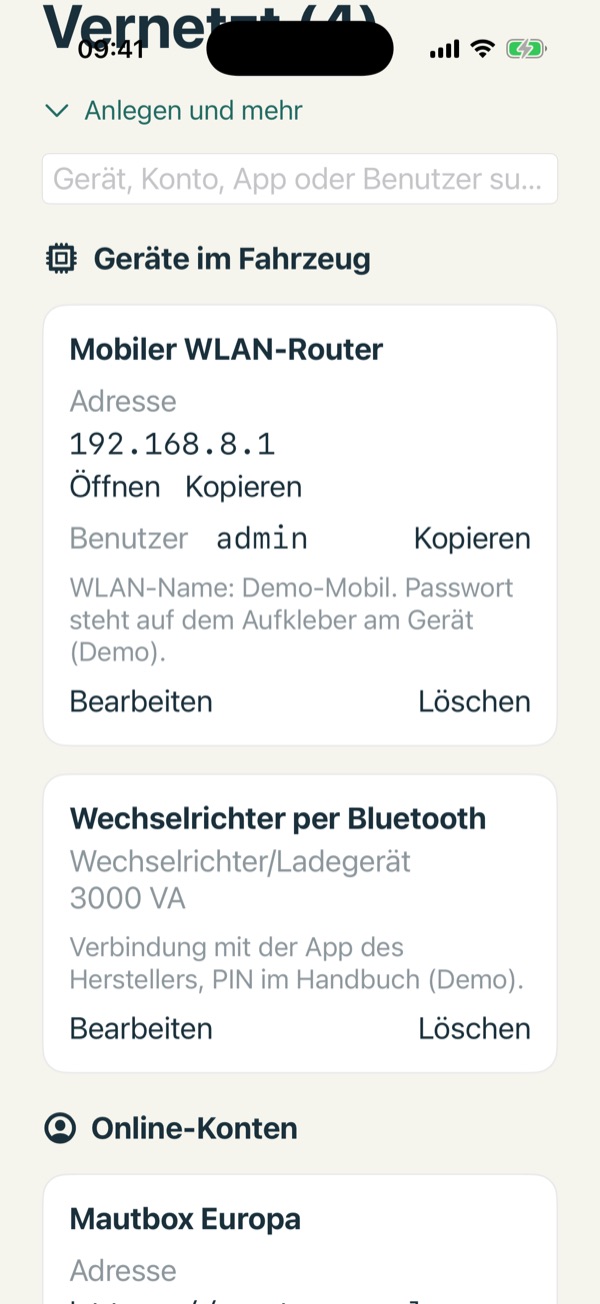
- Below the heading, tap Add and more, then Add entry and choose the Type: Devices in vehicle, Online accounts, Household appliances or Other.
- Enter a name, the IP or web address and User or email. For devices, choose an Assigned device from your equipment.
- Enter the Password. It is saved in the Apple keychain, with iCloud syncing where possible.
- Use Find and link app to choose the matching app from the App Store, for example the app for your inverter.
- Save. In the list, one tap copies the address and user, and Open app launches the app.
Frequently asked questions
Are my passwords included in the export?
No. Passwords are stored only in the Apple keychain and are included neither in the export nor in the file.
“Open app” ends up in the App Store
If the app is not installed, its page in the App Store opens. Install it there; after that it launches directly.
Wohnmobil-Akte manual · As of 15 Oct 2026 · Images with demo data · Screenshots show the German version of the app.