Deutsch · English · Nederlands
‹ Wohnmobil-Akte – product page
‹ All topicsOn the road: ‘I’m here’
Be roughly visible to your group for a limited time and see who from the group is currently in the area.
1. Joining a group
You get the code from someone in the group, for example via WhatsApp. It has 8 characters, such as ABCD-2345.
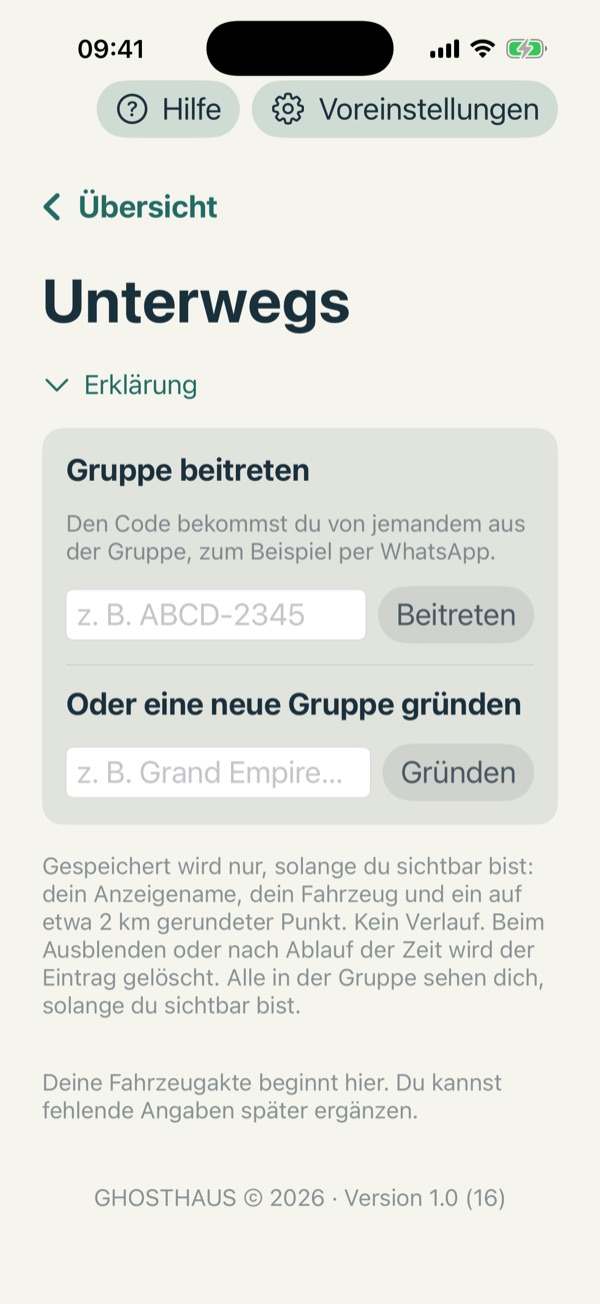
- Open the On the road section.
- Enter the code in the Code field. Upper and lower case and the hyphen do not matter.
- Tap Join. The group appears at the top with its name.
2. Becoming visible
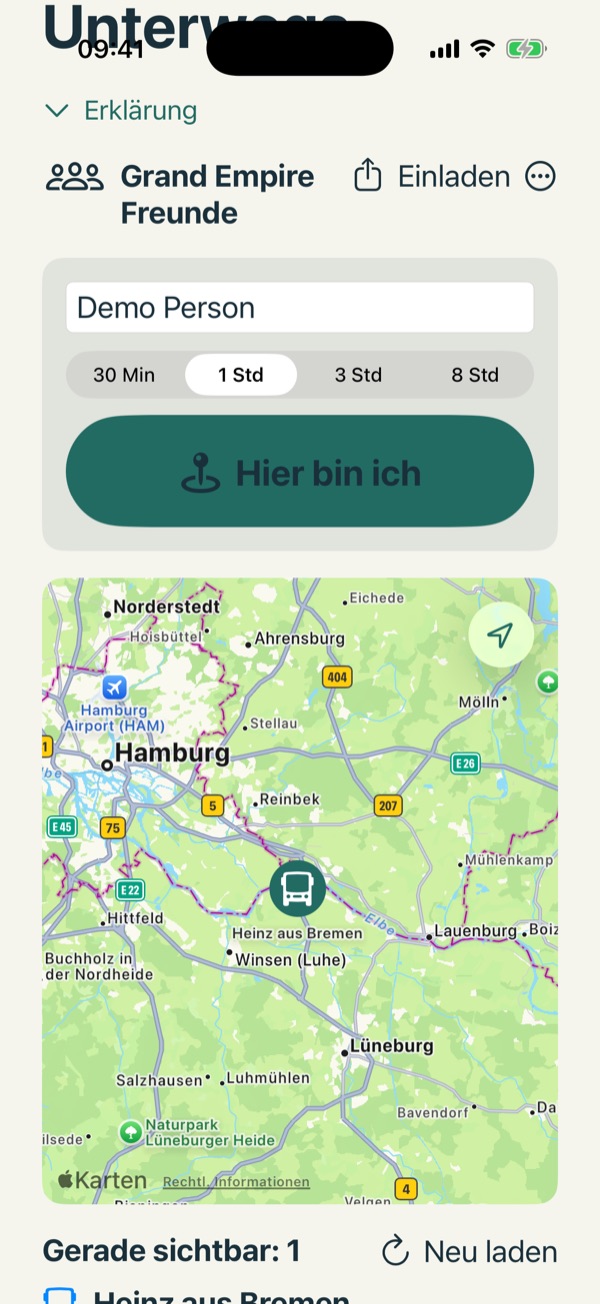
- Enter the name under which the others will see you, for example ‘Heinz from Bremen’.
- Choose how long you want to be visible: 30 minutes, 1, 3 or 8 hours.
- Tap I’m here. The first time, the iPhone asks whether the app may use your location.
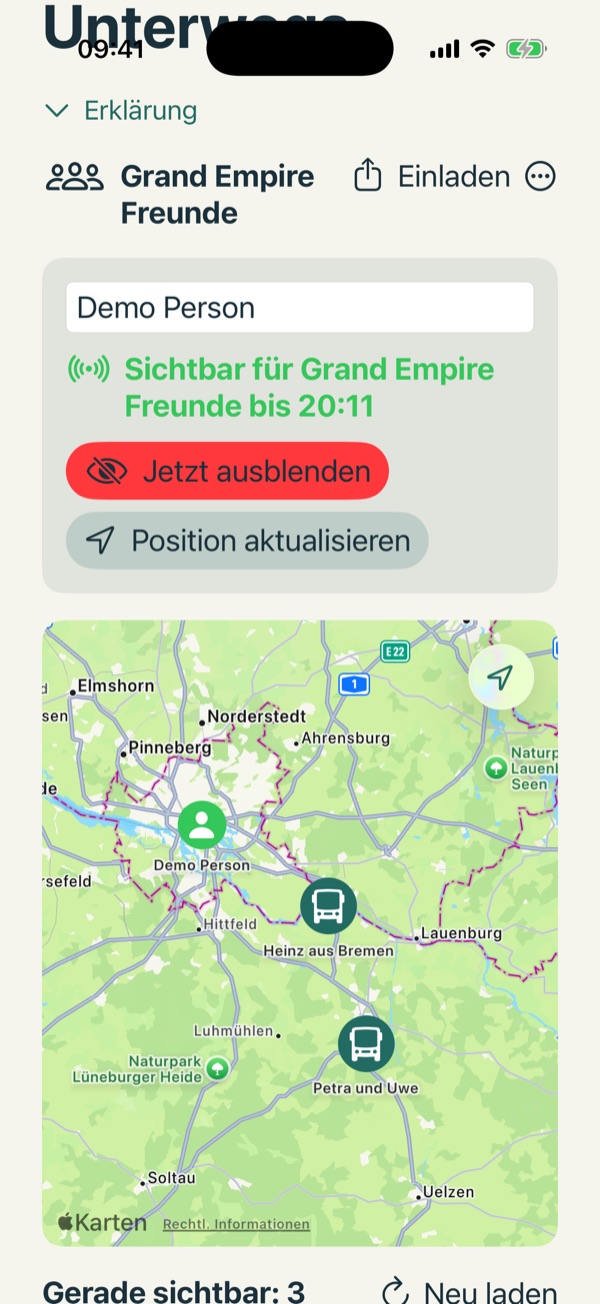
As long as you are visible, Visible to … until … is shown in green at the top. Below it you see everyone in the group as circles on the map, and in the list with their vehicle, when they last checked in and roughly how far away they are. If you tap a name, the map jumps there.
3. Becoming invisible again
Hide now deletes your entry immediately. At the latest when the chosen time runs out, you become invisible automatically, even if you do not open the app again.
What exactly is stored
Only while you are visible: your display name, your vehicle from the file and a point rounded to a grid of about 2 km. The deviation from your real location is up to about 1.4 km.
There is no history: each update overwrites the old point. Only people who know the group code can see you.
Frequently asked questions
Does my circle move with me when I drive?
Yes, as long as the app is open: the position is then refreshed every 5 minutes. If the app is closed, your circle stays at the last reported location. If you want to report again while on the move, briefly open the app and tap Update location.
I can’t see anyone from the group
Only those who have pressed I’m here themselves and whose time has not yet run out are shown. The list reloads every minute, or immediately with Reload.
Do I need iCloud?
Yes. To join and become visible, you must be signed in to iCloud on the device. Nobody sees your Apple ID.
Can I be in several groups?
Yes. Via the three dots you get to ‘Another group’. At the top you then choose which group you are currently viewing. You are visible in the group in which you pressed ‘I’m here’.
Wohnmobil-Akte manual · As of 15 Oct 2026 · Images with demo data and a sample group · Screenshots show the German version of the app.