Deutsch · English · Nederlands
‹ Wohnmobil-Akte – product page
‹ All topicsTrips & logbook
Where you stayed, what you experienced and what a trip cost – with map, diary and trip report.
Short video with narration: 1:41 minutes
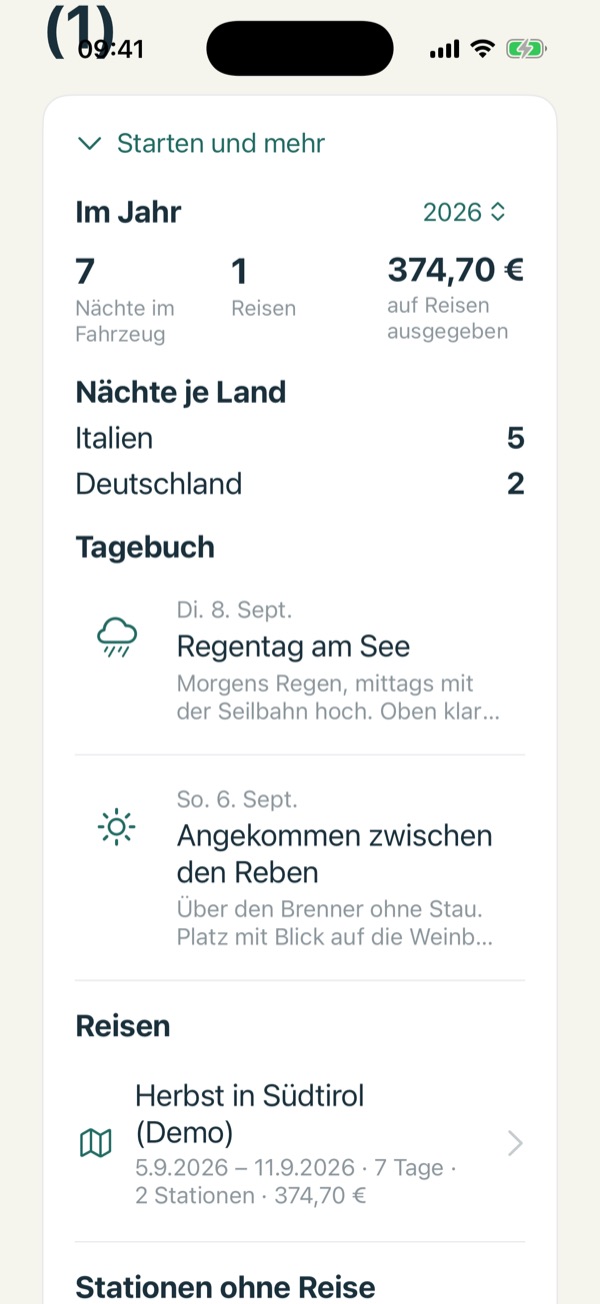
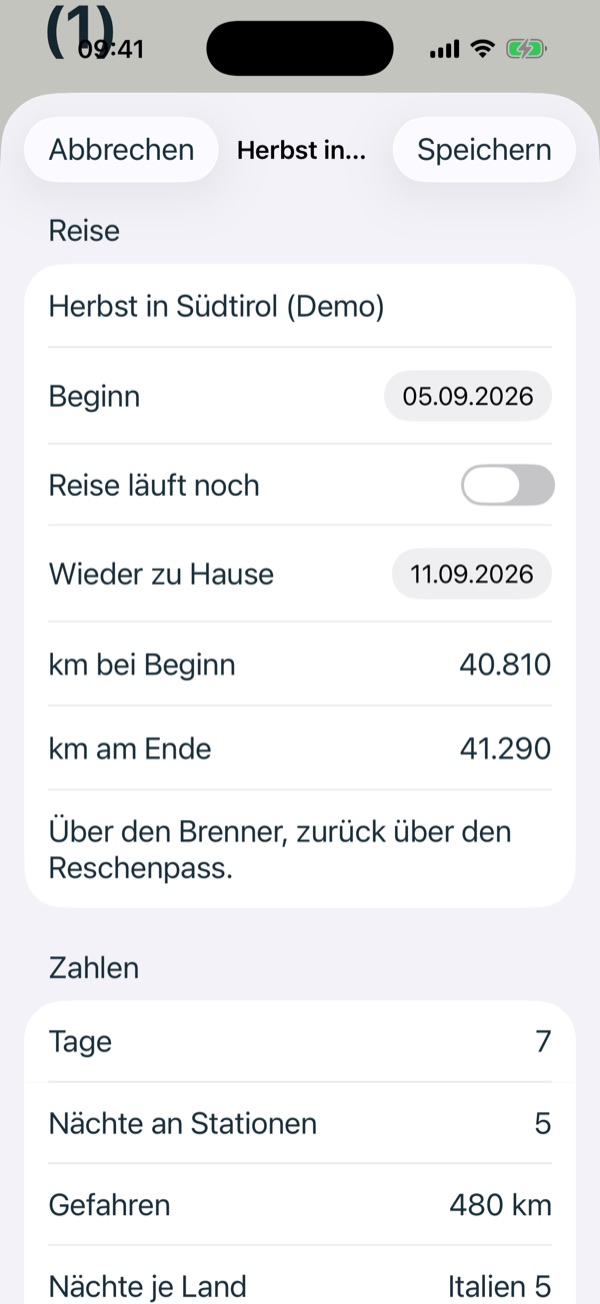
On the road
- Open Trips & logbook in the overview, tap Start and more and then Trip starts now. Name and odometer reading are optional.
- At the place, tap Arrived here. The app asks for your location once and fills in the address. If one of your own pitches is nearby, it is linked.
- Optionally add a rating, the pitch fee and notes, then Save. The pitch fee automatically becomes an expense under Pitch & campsite.
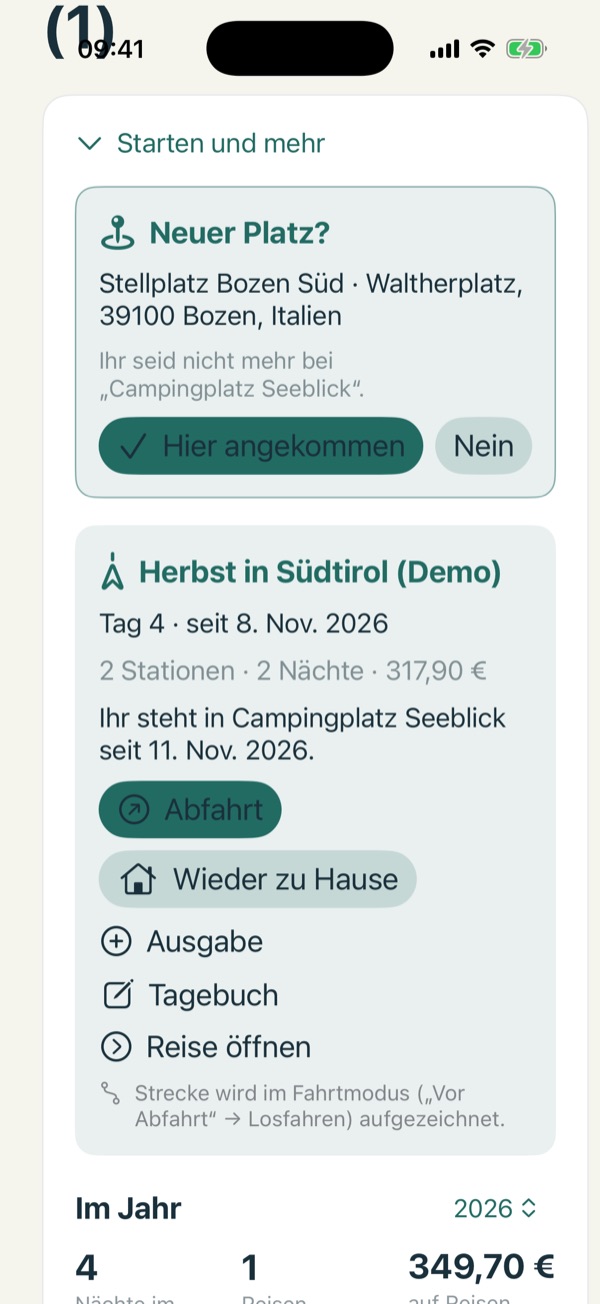
- When you move on, tap Departure. The app counts the nights itself.
- At home, tap Back home. The trip is complete.
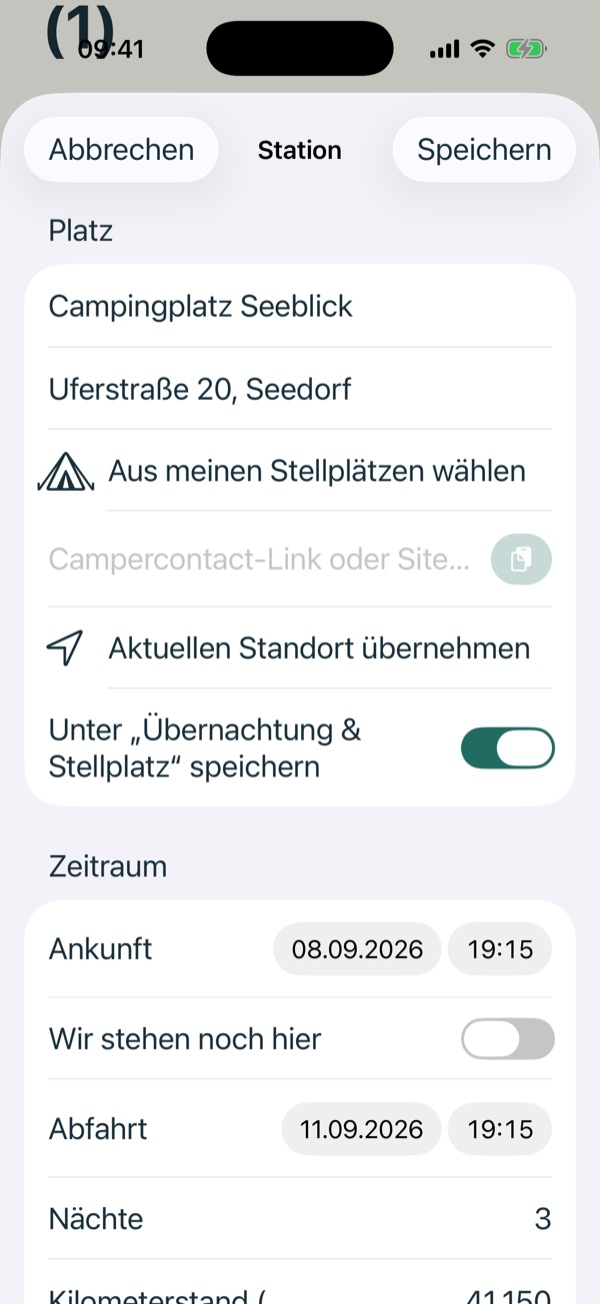
What the app adds up
Nights in the vehicle per year from all stops. A night counts towards the day it begins, even over New Year.
Costs of a trip from all invoices and fuel receipts between start and end, by category, plus per day and per night. Nothing is entered twice.
Distance driven if you enter the odometer reading at start and end.
Expenses on the road and diary
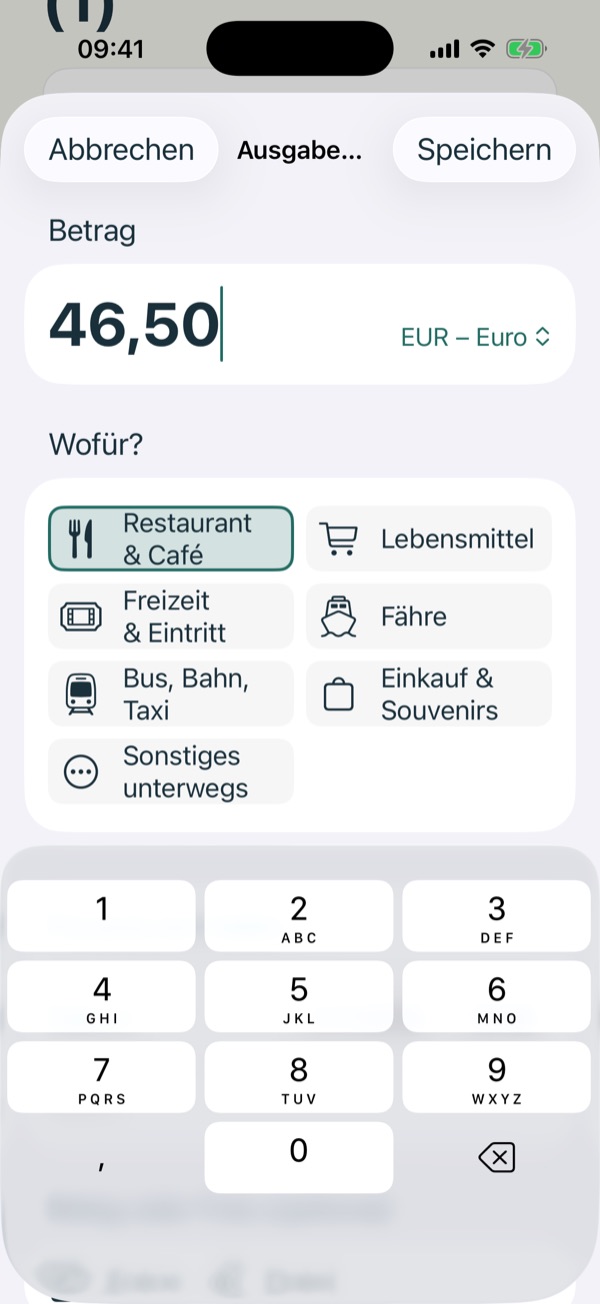
Expense: restaurant & café, groceries, leisure & admission, ferry, bus/train/taxi, shopping & souvenirs. Optionally with a photo of the receipt. These expenses count towards the trip, not towards vehicle costs under “Expenses”.
Diary: one entry per day with text, weather and photos. Tap again on the same day and today’s entry opens.
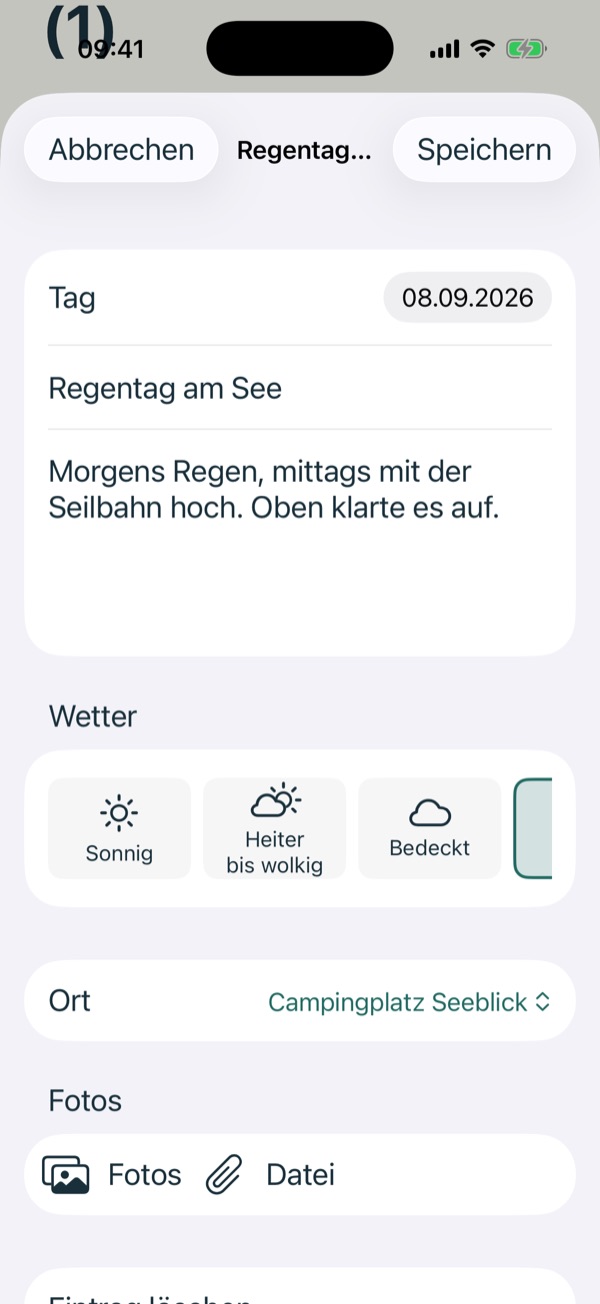
Map, countries and trip report
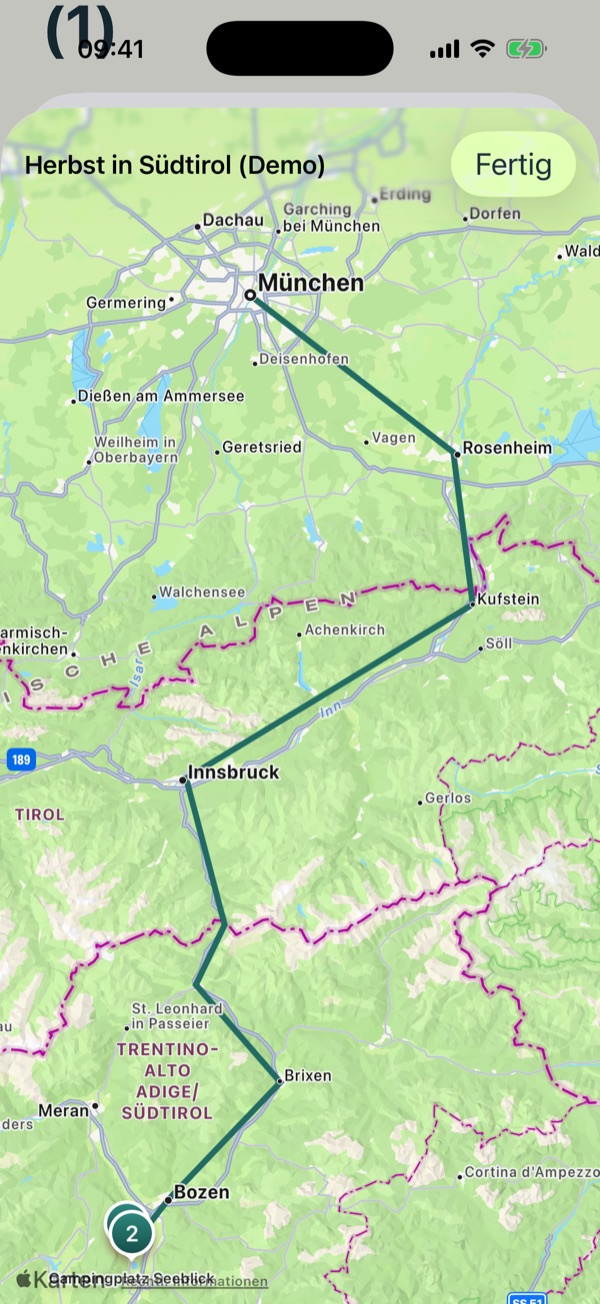
Map: tap the map in the trip. The route is recorded while “Before departure” → Set off is open with GPS. Without a recording, a dashed line connects the stops.
Nights per country: from the location of each stop, per year and per trip.
Trip report: in the trip, Create trip report as PDF, then Share – with map, figures, stops, diary including photos and all expenses.
New place? If you open the area on the road and are more than a kilometre from the last stop, the app suggests the new place. Tapping Arrived here ends the previous stop.
Foreign currency, Campercontact and background route
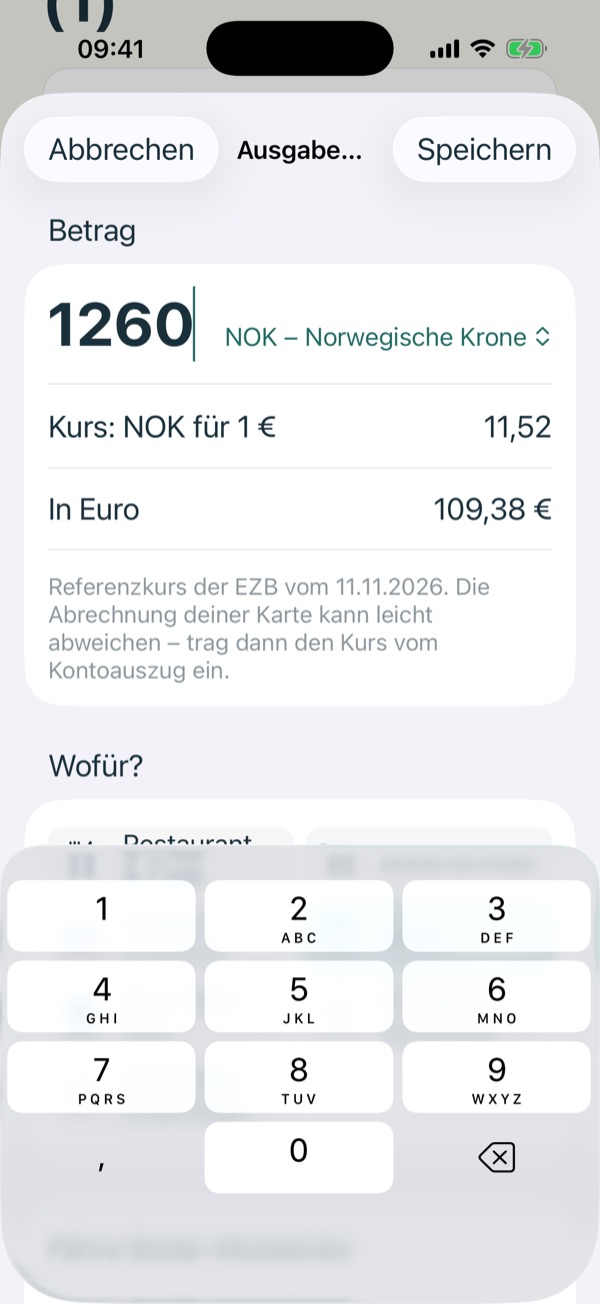
Foreign currency: pick the currency next to the amount, for example NOK, CHF or GBP. The app uses the European Central Bank reference rate (loaded once a day; on the road the last known rate works offline) and converts to euros. If your card statement differs, enter the rate from the statement. The last currency used stays selected.
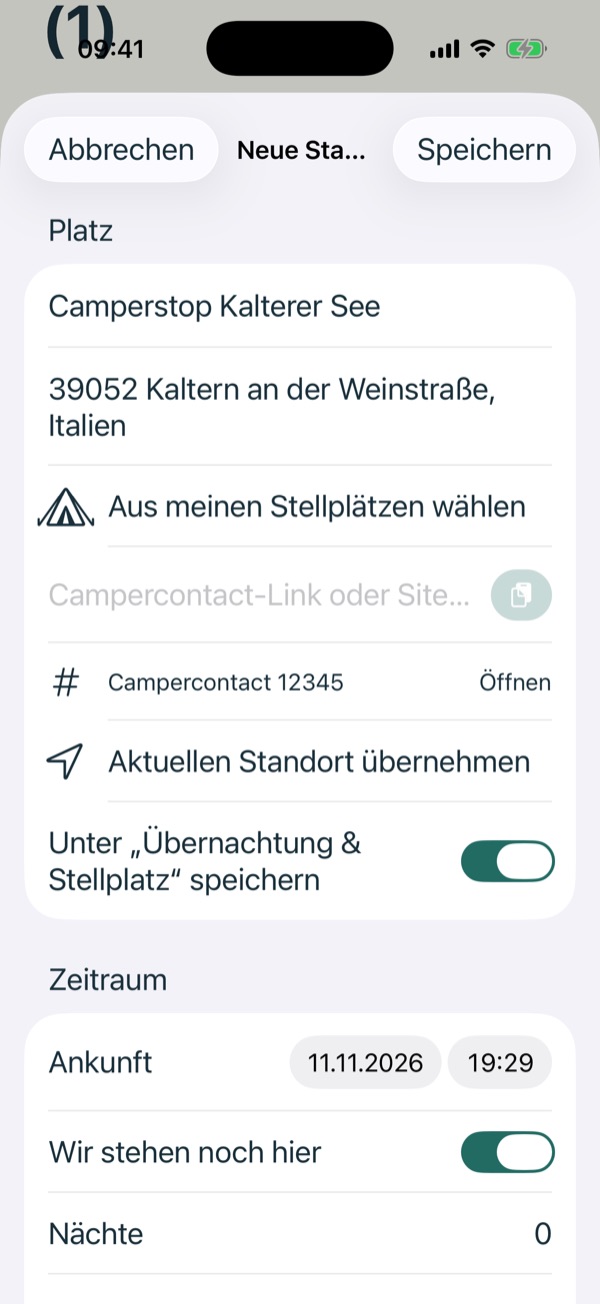
Campercontact: in the Campercontact app, tap Share → Copy on the place, then paste it into Campercontact link or site code in the stop (or type the site code). Name and site code are taken over and the location is roughly determined. If your file already knows the place, it is linked instead of added twice.
Route in the background: switch it on under Customise. The app then records between Departure and Arrived here, even with the iPhone locked; iOS shows a blue indicator. Recording pauses at a stop. This uses more battery than drive mode.
Set it up your way
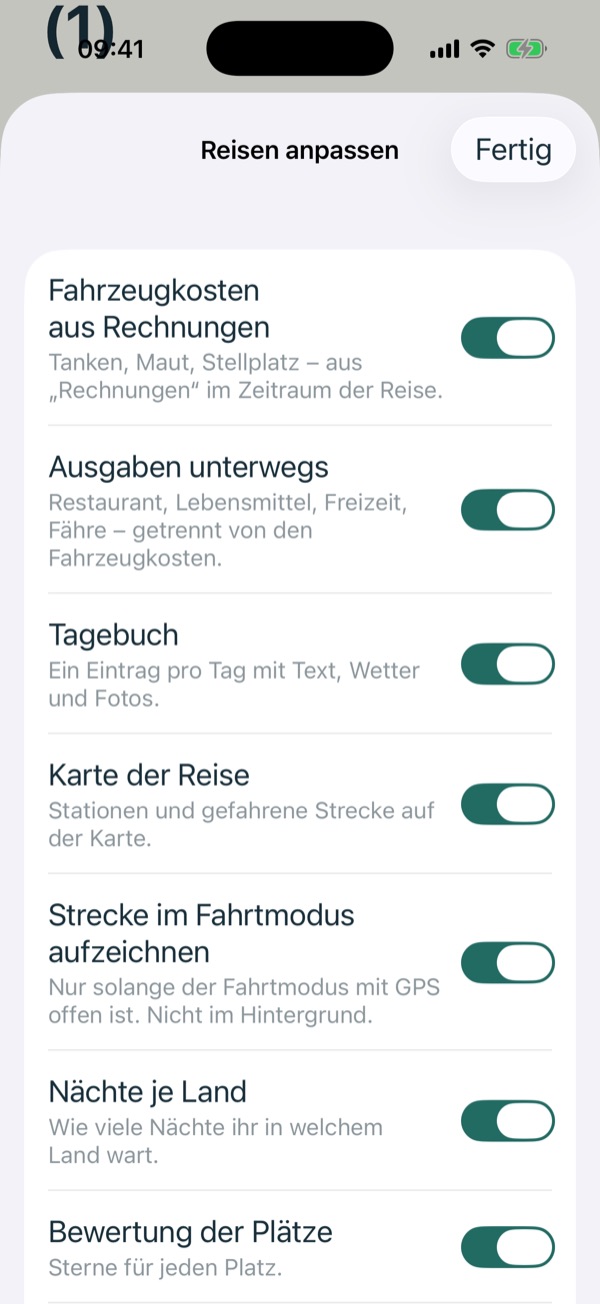
Under Start and more → Customise what is shown you can switch vehicle costs, expenses on the road, diary, map, route recording, countries, rating, odometer readings and the “New place?” suggestion on or off individually. Hidden data stays saved.
Frequently asked questions
Does the app record in the background?
Only if you switch it on under Customise, and then only between Departure and Arrived here. Otherwise only while drive mode is open.
I forgot to start the trip
Use Add a past trip and enter start and end. All stops and invoices from that period then belong to it automatically.
Do I have to create a trip?
No. Stops also work on their own, for example for a weekend. They appear under Stops without a trip and still count towards the nights per year.
Does the app track where I drive?
No. Your location is only requested when you tap “Arrived here” or “Use current location”, and is saved only for that one stop.
How is this different from drives?
A trip is the whole holiday with stops, nights and costs, a drive a single journey from A to B. More under Trips and drives.
Wohnmobil-Akte manual · As of 18 Oct 2026 · Images with demo data · Screenshots show the German version of the app.