Deutsch · English · Nederlands
‹ Wohnmobil-Akte – product page
‹ All topicsManuals
The operating instructions for your devices in one place, searchable and available offline too.
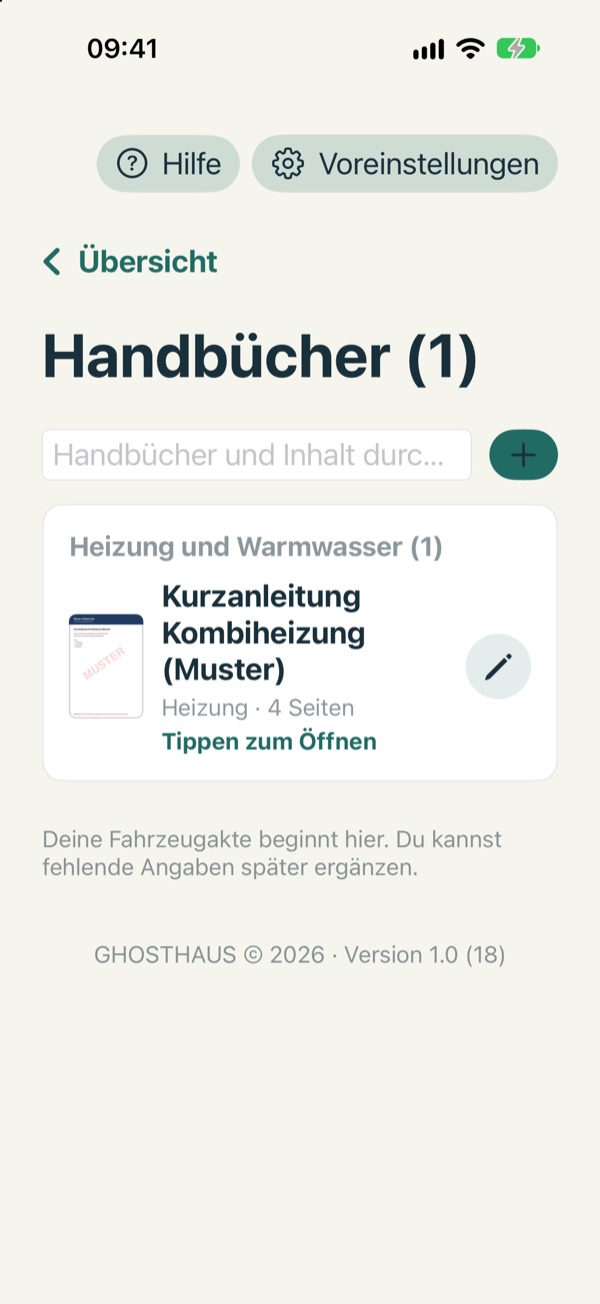
On the left you see the first page of the manual as a small picture. Tap the row to open the manual. The pencil on the right opens its details: title, device, language, edition, source and cover page. If the PDF is still missing, the row says No PDF yet · add one.
Adding a manual
- Tap Add manual.
- Add cover page as photo or scan. This lets you see later which manual it is.
- Add original manual as PDF if you have it, for example from the manufacturer’s website.
- Enter the title, manufacturer and exact device name, edition and language, and choose the related device.
- Save.
Frequently asked questions
How do I open a manual?
Tap the row of the manual. Use the magnifying glasses at the top to zoom in and out; Close takes you back to the list.
Does the search work inside the PDF?
Yes. The text of the PDF is read when you add it. If you enter “E 517” at the top, for example, you will find the place with this error code.
Where can I get the original PDFs?
Usually on the website of the device manufacturer. Under Manufacturer documents you will find public documents from your vehicle manufacturer.
Wohnmobil-Akte manual · As of 19 Nov 2026 · Images with demo data · Screenshots show the German version of the app.