Deutsch · English · Nederlands
‹ Wohnmobil-Akte – product page
‹ All topicsFaults & improvements
Record everything that is wrong with the vehicle or could be better in one place, keep track of it, report it to the service and share it with other owners.
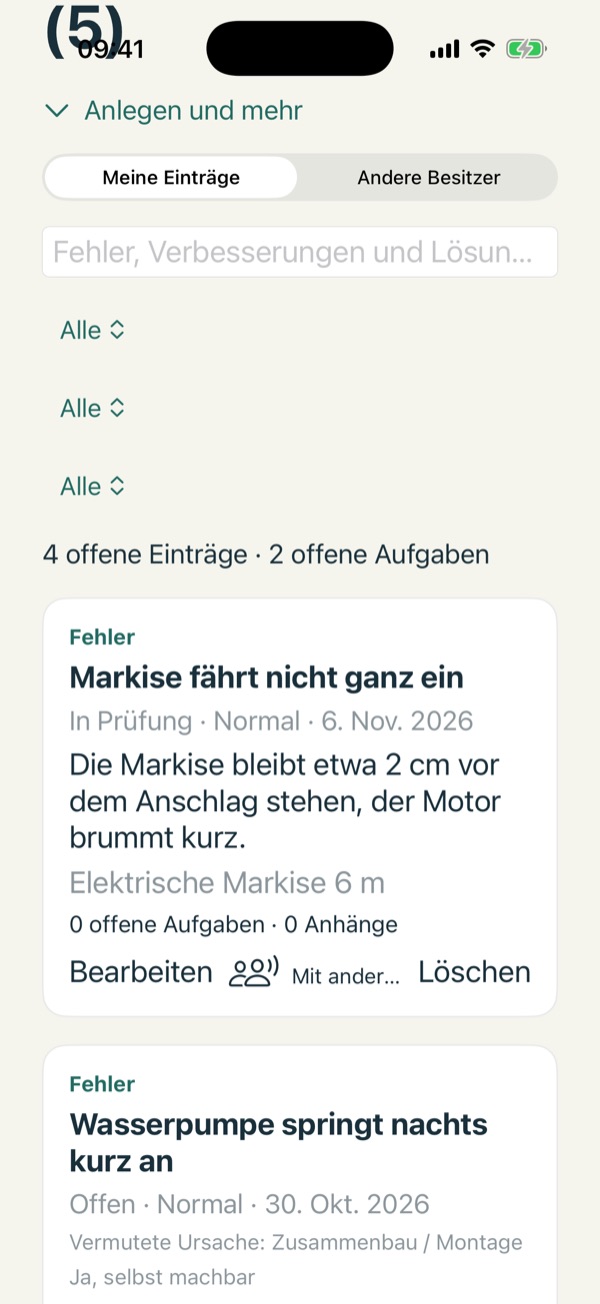
Recording a fault
- Below the heading, tap Add and more, then Quick add if it has just happened. One sentence is enough, for example “Slide-out retracts at an angle”. You can add photos straight away.
- Or Report fault if you already know more. The full entry then opens.
- Choose the device from your equipment, for example the heating or the water pump. That way you can later find all faults of one device together.
- Enter when it happens (conditions), any error code and what you have already checked.
- Save. From now on the entry is in your file and backed up in your iCloud.
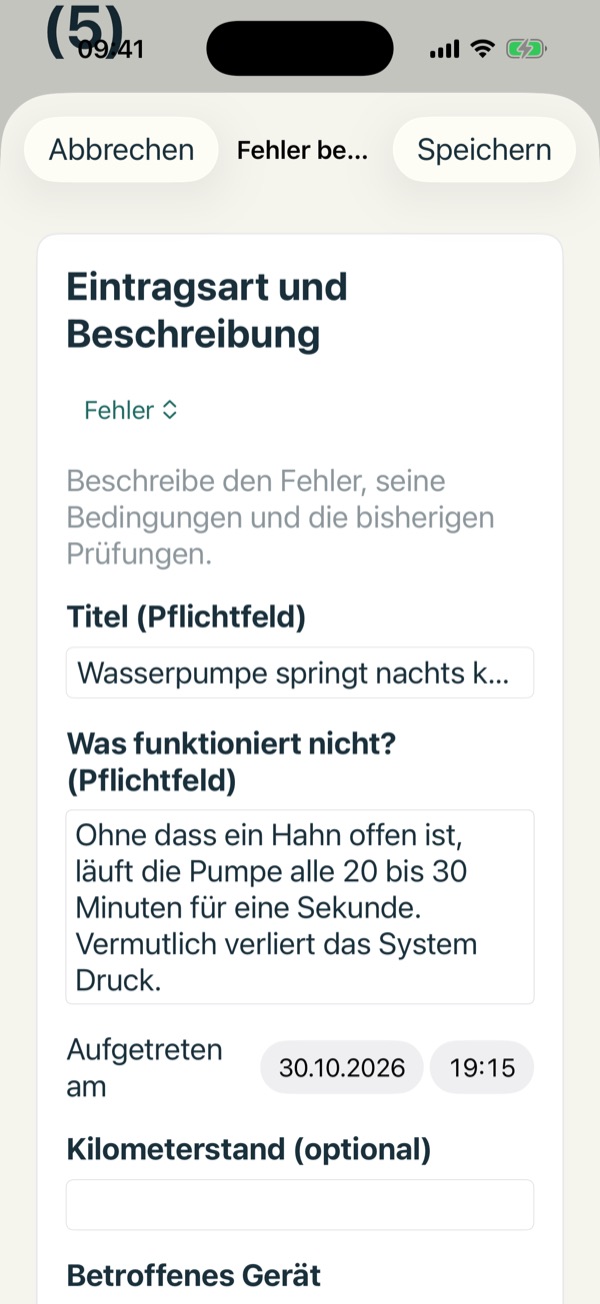
What the fields mean
Status: Open, Under review, In progress, Fixed. For improvements: Reported, Under review, Action planned, Implemented, Effect confirmed.
Suspected and confirmed cause: first your suspicion, after the inspection the cause confirmed by the workshop, for example installation, device defect or wear.
Tasks: small steps to tick off, such as “Book an appointment” or “Check the screw fittings”.
Solution: what helped in the end. This is worth its weight in gold later, for you and for others.
Warranty claim: if this is switched on, the app does not record any costs of your own.
DIY possible? and Carried out by: whether you can do it yourself and who fixed it.
Reporting defects to the service
- Below the heading, tap Add and more, then Report defects to service. All open defects that have not been reported yet are preselected.
- Check the selection and tap Create email. The app opens a ready-made email draft to your service partner, with photos if you want.
- You send the email yourself. Afterwards the app asks whether it should mark the defects as Reported to service.
Sharing with other owners
If you have solved a fault, others can benefit from it. Below each of your own entries you will find Share with others. Before sharing, the app shows exactly what will be shared.
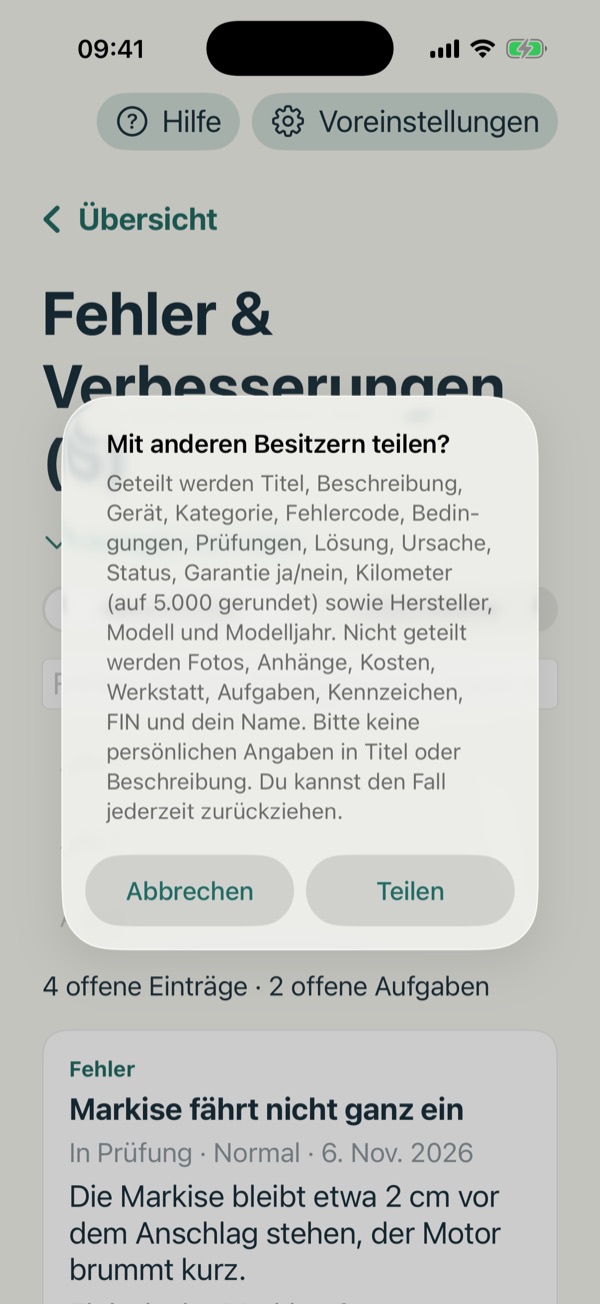
Shared: title, description, device, error code, when it happens, what was checked, solution, cause, status, warranty yes or no, mileage (rounded to 5,000), manufacturer, model and model year.
Not shared: photos, attachments, costs, workshop name, tasks, registration number, vehicle identification number (VIN) and your name.
Afterwards it says Shared. From there you can Update now or Withdraw the case. If you change a shared case, it is updated automatically. If you delete it, it is withdrawn.
Cases from other owners
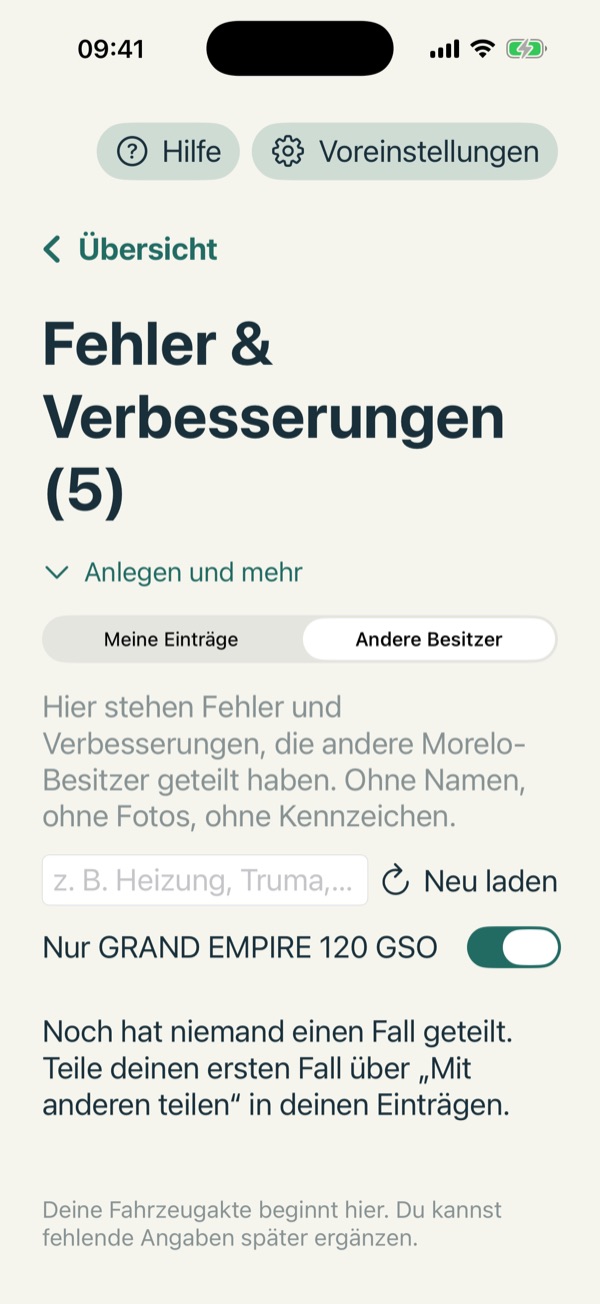
Switch to Other owners at the top. You see all shared cases for your manufacturer; with the switch Only … and your model, for example “Only GRAND EMPIRE 120 GSO”, only those for your model. The cases that most owners also have are at the top.
Me too: shows that you have the same problem. Only the number is counted, not who.
Add to my file: takes over the case including the solution as your own entry, which you can then follow up.
Hide for me and Report …: via the three dots. We review reported cases.
Frequently asked questions
Can anyone see my name when I share?
No. The case is shared without your name, without photos and without the registration number. Apple technically assigns an anonymous identifier so that only you can change your case.
Why can’t I share a demo fault?
Demo entries are only there for trying things out and therefore don’t end up in the shared database.
“Other owners” stays empty or shows an error
You need an internet connection and must be signed in to iCloud on the device. If there is nothing there at all yet, nobody with your manufacturer has shared a case yet. Feel free to be the first.
How do I find all faults related to the heating?
Type “heating” or the device name into the search field at the top. The search covers title, description, solution, error code and device.
Wohnmobil-Akte manual · As of 15 Oct 2026 · Images with demo data · Screenshots show the German version of the app.