Deutsch · English · Nederlands
‹ Wohnmobil-Akte – product page
‹ All topicsEquipment and appliances
Which appliances are in your vehicle, where they are installed and what serial numbers they have.
In short
The list is filled from your invoice, from suggestions or by hand. For each appliance you can store the serial number, a photo and the installation location on the floor plan.
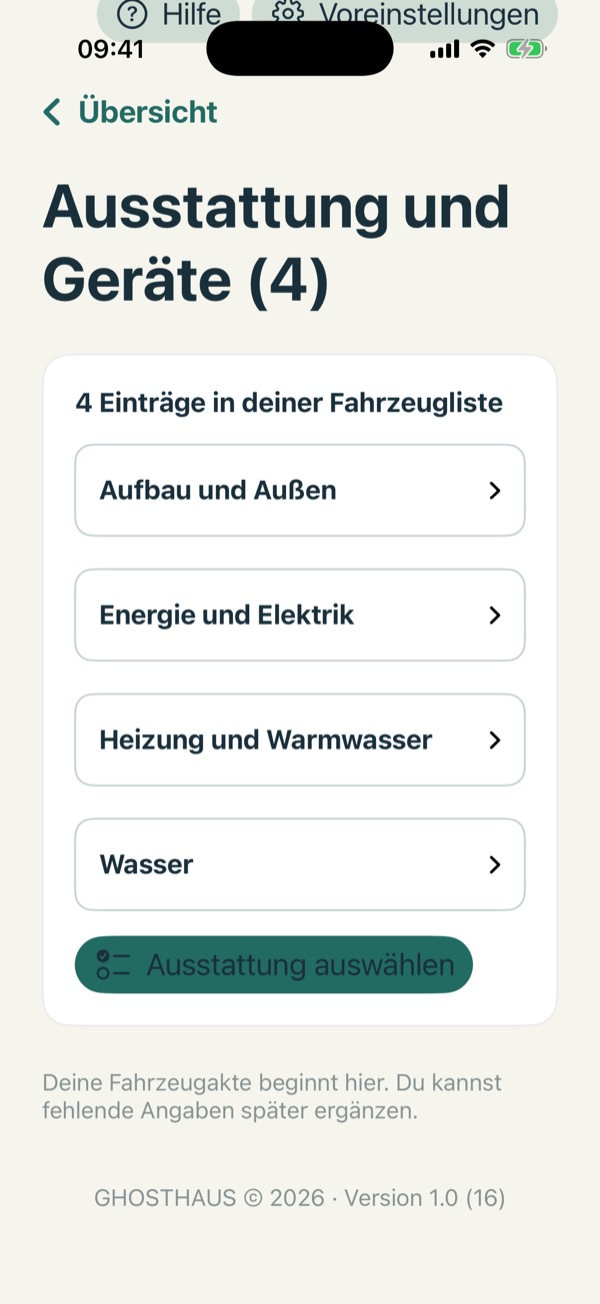
Adding appliances
- Expand Equipment and appliances and tap Select equipment.
- Select suitable suggestions, for example from the invoice you read in, or enter one yourself with Add your own device. The search at the top helps with long lists.
- Apply. The appliances are now in your vehicle list and can be selected for faults, invoices and manuals.
Appliance details and installation location
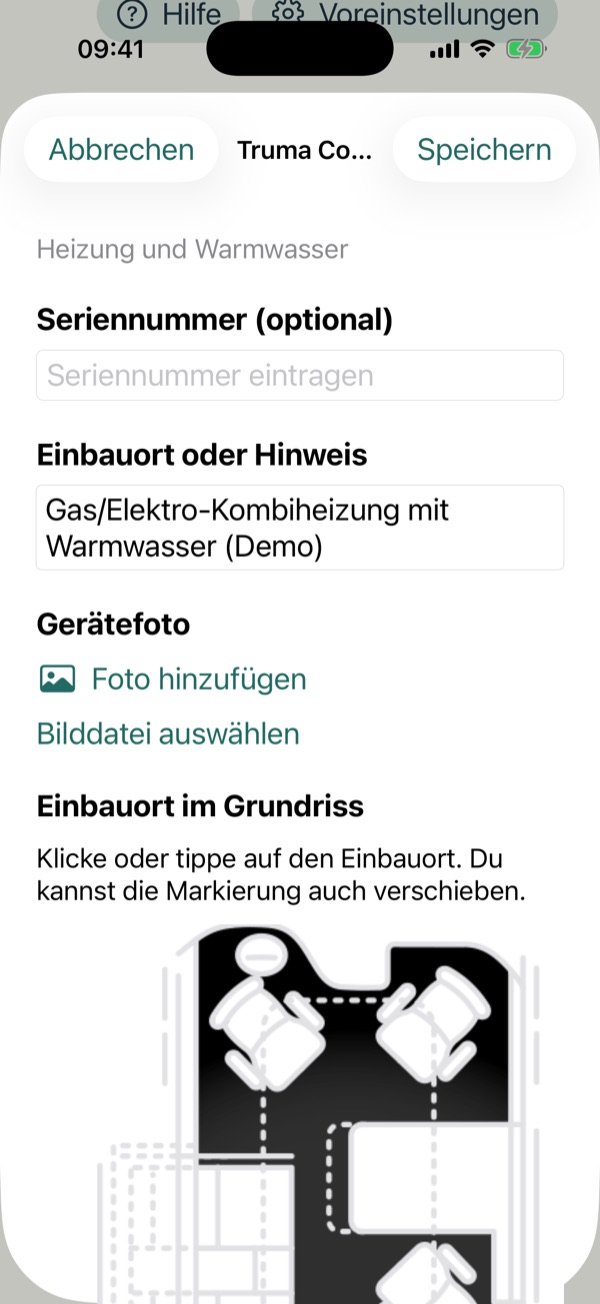
Installation location on floor plan: tap the spot where the appliance is fitted. The marker can be moved.
Serial number: you need it for warranty claims and when ordering spare parts.
Device photo: for example of the rating plate.
The floor plan comes from the manufacturer and applies to the model. Year of manufacture and optional extras may differ.
Frequently asked questions
Why are faults linked to appliances?
So that later you can see at a glance what has already happened with an appliance, and find the related invoices and manuals.
Wohnmobil-Akte manual · As of 15 Oct 2026 · Images with demo data · Screenshots show the German version of the app.